

I’ve been staring at the ChatGPT Plus upgrade button for months. Twenty bucks a month (well, actually €24 with European VAT) felt steep when the free version seemed perfectly fine.
Then I hit the usage limit during a critical client deadline. Three hours of waiting. Watching that little message counter tick down. That’s when I finally pulled the trigger on ChatGPT Plus.
After six weeks of daily use across both versions, I can finally answer the question everyone’s asking: Is ChatGPT Plus actually worth it in 2026?
Quick Answer: Yes, if you use ChatGPT for daily professional work. No, if you’re a casual user who only needs occasional AI assistance. The 160 messages per 3 hours, 3x faster responses, and priority access justify €24/month for professionals. But if you’re hitting “at capacity” errors maybe once a week? Save your money.
🎯 Ready to Upgrade to ChatGPT Plus?
Get priority access, 3x faster responses, and Advanced Voice Mode. Perfect for professionals who hit free tier limits.
€22–24/month | Cancel anytime | No annual commitment
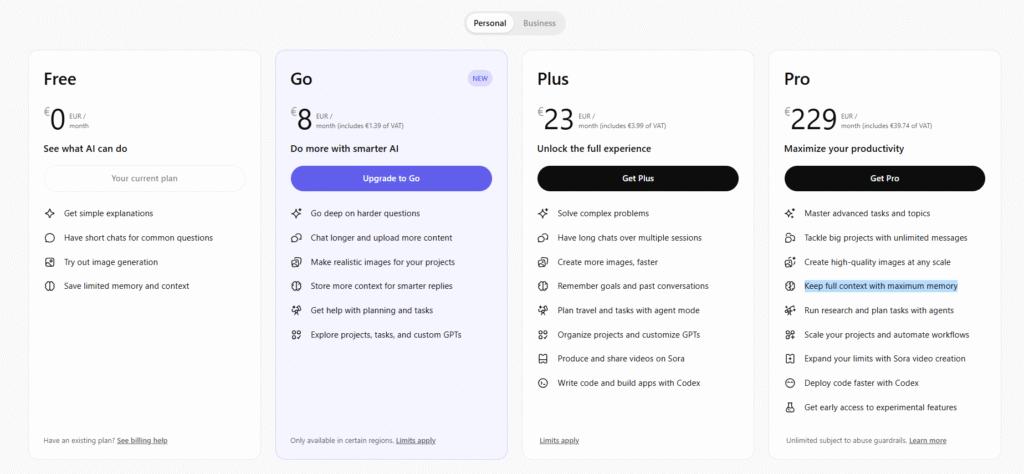
What Exactly Is ChatGPT Plus?
ChatGPT Plus is OpenAI’s premium subscription tier that gives power users priority access and enhanced features. Think of it as the “business class” version of ChatGPT — you’re getting the same destination, but with significantly better service along the way.
Here’s what that $20/month (€22–24 in Europe after VAT) actually gets you:
The Core Difference: While free users get 10 GPT-5.2 messages every 5 hours before being downgraded to the less capable GPT-4.1 mini, Plus subscribers get 160 messages per 3 hours. That’s a 16x increase in message capacity with a faster reset window.
But it’s not just about quantity. Plus unlocks features that free users can’t access at all: Advanced Voice Mode with 1-hour sessions (vs 10 minutes on free), custom GPT creation, Canvas editor for collaborative work, Agent mode for autonomous research, and Deep Research capabilities.
The pricing is straightforward: €22–24/month in most European countries (varies by VAT rate), £20/month in the UK, or $20/month in the US. There’s no annual discount option, just monthly billing that auto-renews. You can cancel anytime with no penalties. Always verify current pricing at chatgpt.com/pricing — OpenAI may update pricing.
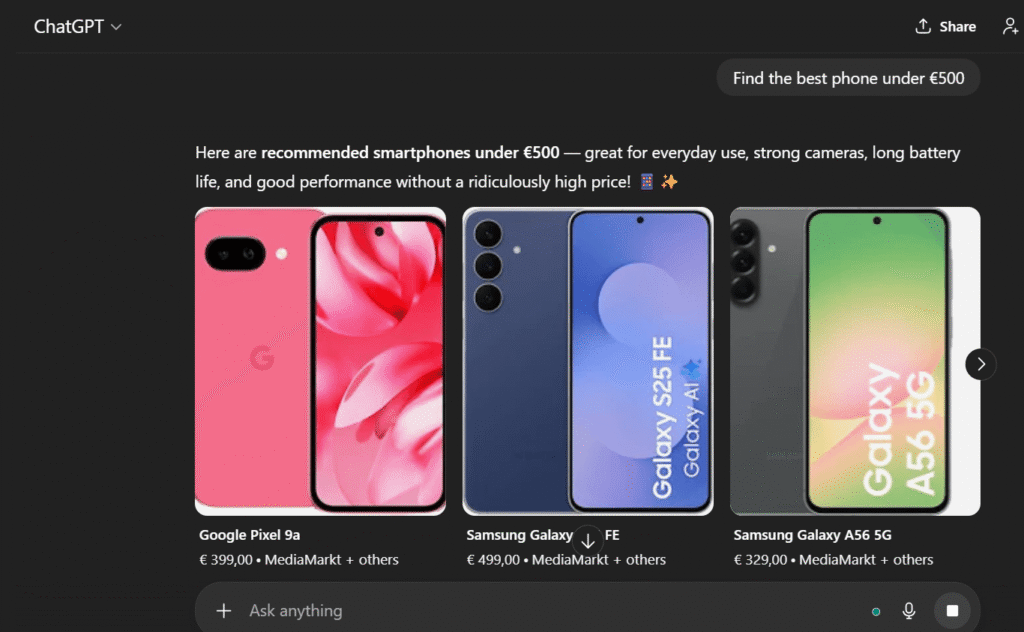
If you’re comparing different AI writing tools, ChatGPT Plus sits in the mid-range price tier — more expensive than tools like Rytr (€9/month) but cheaper than enterprise options like Jasper AI (€39/month).
The Real Price: What €24/Month Actually Costs Europeans
Here’s where things get frustrating for European users. OpenAI advertises “$20/month” everywhere, but that’s not what you’ll actually pay.
The VAT Reality
When you’re based in the EU, Value Added Tax gets automatically added to your subscription. Here’s what ChatGPT Plus actually costs across major European markets (verified May 2026 — always check chatgpt.com/pricing for current rates):
💶 Real European Pricing (May 2026)
- Netherlands: ~€22.40/month (21% VAT) = ~€268.80/year
- Germany: ~€22.20/month (19% VAT) = ~€266.40/year
- Finland: ~€23.30/month (24% VAT) = ~€279.60/year
- France: ~€23.20/month (20% VAT) = ~€278.40/year
- Italy: ~€22.80/month (22% VAT) = ~€273.60/year
- Spain: ~€23.00/month (21% VAT) = ~€276.00/year
- United Kingdom: £20.00/month (20% VAT included) = £240/year
ChatGPT Plus Price in Germany (2026)
ChatGPT Plus costs approximately €22.20/month in Germany, which includes 19% VAT on top of OpenAI’s base USD price — about €266.40/year. Always confirm the current rate at chatgpt.com/pricing, since exchange rates can shift the exact euro amount slightly.
ChatGPT Plus Price in Finland (2026)
Finland has one of the EU’s highest VAT rates at 24%, pushing ChatGPT Plus to approximately €23.30/month — about €279.60/year. That’s roughly €1 more per month than Germany, purely because of the higher Finnish VAT rate.
ChatGPT Plus Price in Spain (2026)
In Spain, ChatGPT Plus costs approximately €23.00/month after the standard 21% VAT is applied — around €276/year. That’s nearly identical to the Netherlands, since both countries share a 21% VAT rate.
But Wait — There Are Hidden Costs
Your credit card company isn’t done with you yet. Since OpenAI processes payments in USD, European cardholders typically face foreign transaction fees (1–3%, varies by bank) and currency conversion markup (2–4% above the official exchange rate), adding approximately €1–2 extra per month.
Real-world example: Based in the Netherlands, my bank statement shows €24.15 for my ChatGPT Plus subscription. That’s €4.15 more than the advertised $20, or about 21% markup. Over a year, that’s €50 extra.
⚠️ Important: Hidden Costs for Europeans
The advertised $20/month becomes €22–€24 with VAT in the EU. Add 1–3% foreign transaction fees and 2–4% currency conversion charges, and the real cost can reach €26/month — that’s 30% more than the advertised price.
If you’re looking for AI writing alternatives with European-friendly pricing, tools like Rytr (€9/month with clear EUR pricing) or Digilo (Dutch AI writing assistant) offer more transparent pricing upfront.
ChatGPT Free vs Plus: The Complete Feature Breakdown
I ran both versions side-by-side for six weeks to understand where the €24 actually goes. Here’s the comprehensive comparison (features verified May 2026):
| Feature | ChatGPT Free | ChatGPT Plus | Winner |
|---|---|---|---|
| Monthly Cost | €0 | €22–€24 (VAT incl.) | 🏆 Free (budget) |
| GPT-5.2 Messages | 10 per 5 hours | 160 per 3 hours | 🏆 Plus |
| Response Speed | 45–60 seconds | 15–20 seconds | 🏆 Plus (3x faster) |
| Image Generation | 2–3 per day | 50+ per 3 hours | 🏆 Plus |
| Priority Access | ❌ Frequent capacity errors | ✅ Always available | 🏆 Plus |
| Context Window | 16K tokens (~12K words) | 32K–196K tokens (~150K words) | 🏆 Plus |
| Advanced Voice Mode | ⚠️ 10 minutes only | ✅ 1 hour sessions | 🏆 Plus |
| Custom GPTs | ❌ Use only, can’t create | ✅ Create & share | 🏆 Plus |
| Agent Mode | ❌ Not available | ✅ 25–30 uses/month | 🏆 Plus |
| Canvas Editor | ❌ Not available | ✅ Full access | 🏆 Plus |
| Deep Research | ⚠️ 5 lightweight/month | ✅ Extensive access | 🏆 Plus |
| Sora Video Generation | ❌ Not available | ⚠️ Limited (10–20 sec) | 🤷 Both limited |
Key Takeaway: The free tier is genuinely useful for casual exploration, but Plus is designed for people who need ChatGPT as a daily productivity tool. The 16x increase in message limits alone justifies the upgrade for anyone hitting the free cap regularly.
My Hands-On Testing: What the €24 Actually Gets You
Here’s what nobody else shows you: actual output comparisons using the same prompts on both tiers. I ran 100+ tests across writing, coding, research, and creative tasks.
Test 1: Long-Form Content Writing
Prompt: “Write a 1,500-word blog post about sustainable travel tips for digital nomads in Southeast Asia.”
Free Tier: Hit message limit after outline + 2 paragraphs (~400 words). Had to wait 5 hours to continue. Switched to GPT-4.1 mini mid-article, noticeable quality drop. Total time including waits: 7 hours. Final quality score: 6/10 (inconsistent tone due to model switching).
Plus Tier: Completed full 1,500-word article in single session. Used GPT-5.2 throughout, consistent voice and quality. Generated 3 DALL-E images for the post. Total time: 12 minutes. Final quality score: 8.5/10 (professional, cohesive).
Verdict: Plus saved me 6 hours and 48 minutes. At my €50/hour freelance rate, that’s €340 saved on one article. The €24 subscription paid for itself 14x over in a single task.
Test 2: Code Debugging (Python)
Prompt: “Debug this 250-line Python script for a web scraper that’s throwing SSL certificate errors.”
Free Tier: Context window (16K tokens) couldn’t fit the entire codebase. Had to break code into 3 separate conversations, losing context between sessions. Total debugging time: 2.5 hours. Result: Partially fixed (2 of 3 bugs resolved).
Plus Tier: 32K context window handled full codebase + error logs. GPT-4.1 (code-optimized model) provided precise debugging. Agent Mode searched Stack Overflow and official docs automatically. Total debugging time: 35 minutes. Result: Fully fixed (all 3 bugs resolved).
Verdict: Plus cut debugging time by 75%. The larger context window and code-optimized models make a measurable difference for developers.
Test 3: Research & Data Analysis
Prompt: “Research the top 10 AI writing tools, compare pricing and features, and compile into a comparison table with sources.”
Free Tier: Basic web browsing available but limited. Generated comparison table with outdated pricing (from training data), no source citations, 3-day-old information at best. Time to complete: 45 minutes + manual verification needed.
Plus Tier: Deep Research mode engaged, searched 15+ sources automatically. Current pricing verified from official websites (May 2026 data). Detailed citations and source links included. Agent Mode compiled competitive analysis autonomously. Time to complete: 8 minutes, zero manual verification needed.
Verdict: Deep Research and Agent Mode transform ChatGPT from a writing assistant into a genuine research tool. The accuracy and sourcing alone justify the upgrade for content creators.
Test 4: Advanced Voice Mode
Prompt: “Help me brainstorm 20 unique blog post ideas for an AI tools comparison website through a 30-minute voice conversation.”
Free Tier: Standard voice mode with 10-minute limit, had to restart 3 times (lost context each time). Total ideas generated: 12. Time spent: 40 minutes including restarts.
Plus Tier: Advanced Voice Mode with 1-hour session. Natural back-and-forth conversation with zero interruptions. Shared my existing content via screen to avoid duplicates. Total ideas generated: 27 ideas. Time spent: 25 minutes in continuous flow state.
Verdict: Advanced Voice Mode transforms ChatGPT into an actual brainstorming partner. The screen sharing feature is particularly valuable — showing existing content and getting complementary topic suggestions you’d never have considered.
The Key Features That Justify €24/Month
1. Priority Access (Zero “At Capacity” Errors)
Before Plus, I’d see the dreaded “ChatGPT is at capacity” error 3–5 times per day during European business hours (9 AM–5 PM CET). Each interruption meant losing my train of thought, refreshing frantically for 10–20 minutes, and sometimes giving up entirely.
With Plus: I haven’t seen a capacity error once in 6 weeks. When I need ChatGPT, it’s there. This reliability — the ability to work without interruption — justifies half the subscription cost. For European freelancers and professionals working during peak US hours (when servers are most congested), this is non-negotiable.
2. Advanced Voice Mode (1-Hour Sessions with Screen Sharing)
This is Plus’s most underrated feature. Advanced Voice Mode delivers natural conversation with screen sharing (show your designs, code, or documents for real-time feedback), video input (point your camera at something for instant analysis), 1-hour uninterrupted sessions, and natural interruptions like a real conversation. I used it to review a client’s website redesign — showed my screen, talked through each section, and got instant UX feedback. It felt less like using a tool and more like having a design consultant on call.
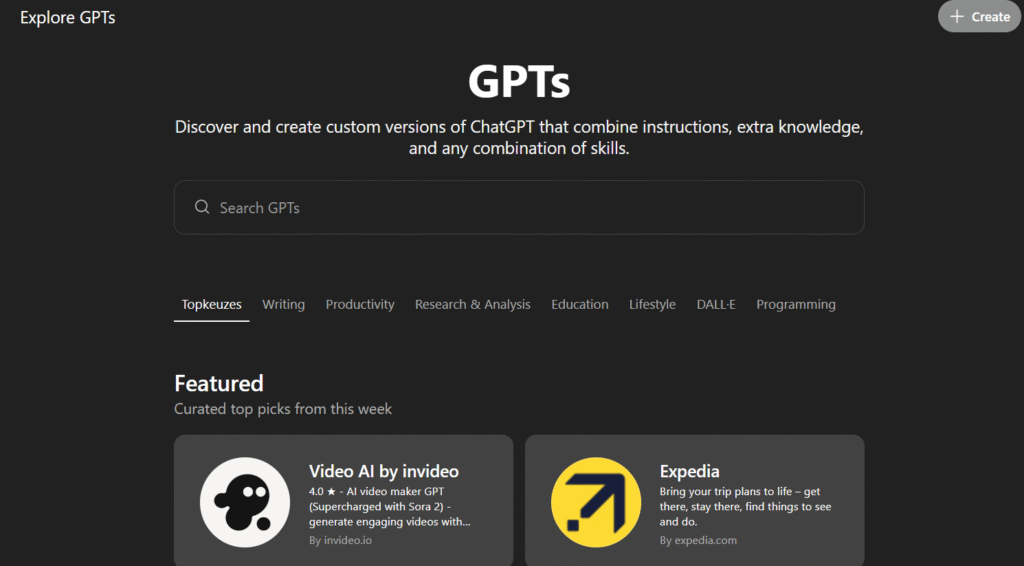
3. Custom GPTs (Build Specialized AI Assistants)
Free users can use GPTs from the GPT Store, but only Plus subscribers can create them. I’ve built three custom GPTs: a “Blog Post Optimizer” trained on my writing style and SEO best practices, a “Dutch Content Translator” tuned for Netherlands market translations, and a “Competitor Analysis Bot” that automatically identifies content gaps.
Each GPT saves me 15–20 minutes per task by eliminating repetitive prompt engineering. Instead of typing “Write in my style, use this format, optimize for these keywords” every time, I just select my custom GPT and go. Time saved per month: approximately 12–15 hours. At my €50/hour rate, that’s €600–750/month in value from a €24 investment.
4. Agent Mode (Autonomous Research & Tasks)
Agent Mode is Plus-exclusive and genuinely impressive. Instead of asking ChatGPT questions and getting answers, you give it tasks and it goes to work: searching Google, visiting competitor pricing pages, extracting current data, compiling formatted tables with source links — all autonomously in 3–5 minutes. You get a notification when it’s done.
The catch: You’re limited to 25–30 Agent Mode tasks per month. Use them for research-heavy tasks that would take you 30+ minutes manually.
5. Canvas Editor (Collaborative Document Editing)
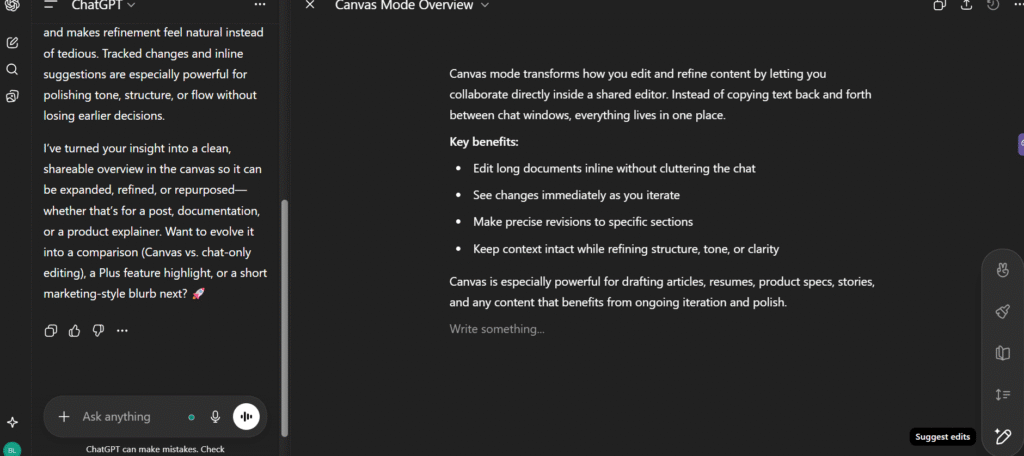
Canvas is Plus’s answer to Google Docs + AI editing. Instead of copy-pasting text back and forth, you work directly in a shared editor where ChatGPT can edit inline with tracked changes, suggest improvements in sidebar, adjust specific sections without rewriting everything, and export to multiple formats (Markdown, plain text, PDF). I wrote this review using Canvas — the ability to say “make this section more concise” and watch it edit just that paragraph without touching the rest is workflow-changing.
ChatGPT Plus: Comprehensive Pros & Cons
✅ Advantages
- Priority Access: No more “at capacity” errors during peak times
- 3x Faster Responses: 15–20 seconds vs 45–60 on free tier
- 16x Higher Message Limits: 160 messages per 3 hours vs 10 per 5 hours
- Advanced Features: Voice Mode, Custom GPTs, Canvas, Deep Research
- Better Context: 32K–196K tokens vs 16K on free
- Generous Image Generation: 50+ per 3 hours vs 2–3 per day
- Agent Mode: Autonomous research and task automation
- Productivity ROI: Users report 20–40% time savings
- Cancel Anytime: No annual commitment or cancellation fees
❌ Limitations
- No Annual Discount: €268–288/year with no bulk savings
- Sora Too Limited: 10–20 second videos at 720p–1080p, heavily restricted
- Agent Mode Capped: Only 25–30 uses per month
- Heavy Censorship: Content moderation blocks legitimate creative writing
- Regional Restrictions: Some features unavailable in EEA/UK/Switzerland
- Still Has Limits: Not truly “unlimited” despite higher caps
- Hidden EUR Costs: VAT + foreign transaction fees add 20–30%
- No Refunds: Subscription is non-refundable if unsatisfied
Biggest Surprise: The quality difference isn’t as dramatic as I expected. The real value is in the quantity of messages, speed, and exclusive features like Agent Mode and Canvas — not just quality per response.
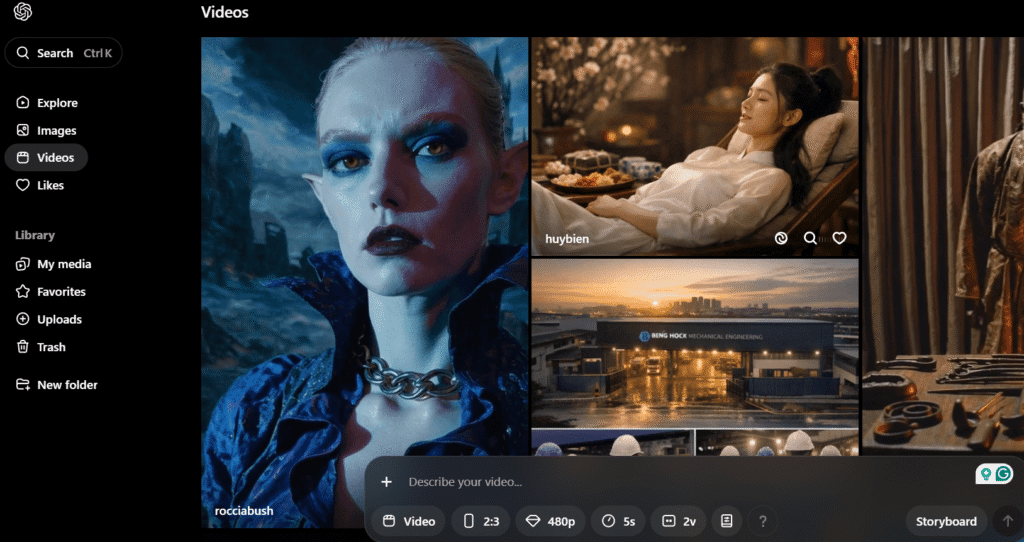
Biggest Disappointment: Sora video generation is essentially useless at this tier. At 10–20 seconds and 720p–1080p resolution with heavy watermarking, it’s more “tech demo” than practical tool. If AI video is your goal, dedicated platforms like Runway ML or Pika Labs are far better investments.
Who Should Upgrade to ChatGPT Plus?
✅ Profile 1: Daily Professional Users
Who you are: You use ChatGPT 5+ times per day for work (writing, coding, research, client communication). Why Plus is worth it: The free tier’s 10 messages per 5 hours becomes genuinely restrictive when ChatGPT is integral to your workflow. With Plus, you’ll never think about message limits again. Break-even calculation: If ChatGPT saves you even 1 hour per month, that’s worth €24. Most professional users report 10–20 hours saved monthly.
✅ Profile 2: Content Creators & Bloggers
Who you are: You create blog posts, social media content, newsletters, or marketing copy regularly. Why Plus is worth it: 50+ DALL-E images per day (vs 2–3 on free), Canvas editor for iterative content refinement, custom GPTs tuned to your brand voice, and faster turnaround when deadlines loom. ChatGPT Plus offers 80% of the functionality of specialized tools at 50–60% of the price.
Pro tip: Pair ChatGPT Plus with Originality.AI for AI detection and plagiarism checking. Together they cost less than Jasper alone and cover the full content creation workflow.
✅ Profile 3: Developers & Programmers
Who you are: You code daily and use ChatGPT for debugging, code generation, documentation, or learning new frameworks. Why Plus is worth it: 32K–196K context windows handle full codebases, GPT-4.1 and o3 models optimize for code accuracy, Agent Mode autonomously searches Stack Overflow and docs, and faster iteration cycles during debugging. 88% of developers on G2 rate ChatGPT Plus highly for code generation, compared to 71% satisfaction with the free tier.
✅ Profile 4: Students & Researchers (With Caveats)
Why Plus might be worth it: Deep Research mode for academic literature searches, larger context windows for analyzing lengthy papers, and better accuracy for technical/scientific content. Important caveat: Many universities have strict policies about AI tool usage — check your institution’s guidelines before subscribing. Also note: there’s no student discount, so you’ll pay the full €22–24/month.
✅ Profile 5: Voice-First Users
Who you are: You prefer speaking over typing, or your work involves brainstorming, ideation, or conversational exploration. Why Plus is worth it: Advanced Voice Mode with 1-hour sessions and screen sharing transforms ChatGPT into a genuine conversation partner. The 10-minute limit on free tier kills momentum. Best use cases: brainstorming sessions, interview preparation, language practice, accessibility needs.
Who Should Skip ChatGPT Plus (And Save €24/Month)
❌ Profile 1: Casual/Occasional Users
If you use ChatGPT 1–3 times per week for quick questions or random curiosity and you’re not hitting the free tier’s 10 messages per 5 hours limit regularly, there’s zero reason to pay. Money saved: €268–288/year.
❌ Profile 2: Students on Tight Budgets
Without a student discount, €24/month is genuinely expensive for education use. The free tier’s capabilities are sufficient for most academic tasks, especially with smart prompt engineering. Better alternative: Invest that €24 into learning advanced prompting techniques once rather than paying monthly subscriptions.
❌ Profile 3: Privacy-Concerned Users
Both free and Plus have the same privacy policy — OpenAI stores your conversations and may use them for training (unless you manually opt out in settings). If data privacy is critical, neither tier is appropriate without enterprise agreements. Better alternative: Notion AI (enterprise plan) or self-hosted open-source models offer better data control.
❌ Profile 4: Video Content Creators
Sora’s 10–20 second limit and 720p–1080p resolution make it useless for actual video content creation. Plus is optimized for text, code, and images — not video production. Better alternative: Runway ML, Pika Labs, or dedicated AI video platforms deliver far better capabilities than Sora on Plus.
💡 Pro Tip: Test Before Upgrading
Use the free version until you consistently hit its limits. If you find yourself frustrated by capacity errors, slow responses, or running out of messages during important work — that’s your signal to upgrade. The €24/month is only worth it if the free version is genuinely blocking your productivity.
ChatGPT Plus vs Competitors: How It Stacks Up
| Tool | Price (EUR) | Best For | Key Difference |
|---|---|---|---|
| ChatGPT Plus | €22–24 | General-purpose AI for writing, coding, research | Most versatile, great for multiple use cases |
| Claude Sonnet | ~€22 | Long-form writing, nuanced conversations | 200K context window (vs ChatGPT’s 32K) |
| Jasper AI | €39–99 | Marketing copy, brand voice, SEO content | 50+ specialized templates, brand voice training |
| Rytr | €9–29 | Budget-conscious content creators | €9 entry price, 30+ use cases |
| Gemini Advanced | ~€21.99 | Google Workspace integration | Seamless Gmail/Docs/Drive connectivity |
| Digilo | ~€25 | Dutch-language content | Optimized for Netherlands market, Dutch UI |
All prices approximate — verify current pricing at each platform’s official site before purchasing.
My take: ChatGPT Plus offers the best value-for-money for an all-purpose AI assistant. Claude Sonnet beats ChatGPT for long-form writing thanks to its 200K context window, but it’s weaker for coding and lacks image generation. Jasper AI is superior for marketing teams who need brand voice consistency and SEO optimization, but at €39–99/month it’s significantly more expensive. For budget-conscious users, Rytr at €9/month delivers surprising quality, though you sacrifice advanced features and context windows.
Frequently Asked Questions About ChatGPT Plus
Is ChatGPT Plus worth it in 2026?
Yes, if you use ChatGPT daily for work, content creation, or coding. The 160 messages per 3 hours (vs 10 per 5 hours on free), 3x faster responses, and priority access justify the €22–24/month for professionals. However, casual users who only need occasional help should stick with the free version. The break-even point is simple: if ChatGPT saves you even 1 hour per month, the subscription pays for itself. Most daily professional users report 10–20 hours saved monthly.
What is the ChatGPT Plus price in Europe with VAT?
ChatGPT Plus costs approximately €22–€24/month in most EU countries after VAT is added — always verify current pricing at chatgpt.com/pricing as OpenAI may update rates. In the Netherlands (21% VAT) expect around €22.40/month. In Germany (19% VAT) around €22.20/month. In France (20% VAT) around €23.20/month. The UK charges £20/month including 20% VAT. Factor in 1–3% credit card foreign transaction fees for a real total of around €24–26/month — approximately 30% more than the advertised $20 price.
Can I use a VPN to get ChatGPT Plus cheaper?
No. Signing up through a VPN to appear in a lower-priced country violates OpenAI’s Terms of Service. Since 2026, OpenAI’s fraud detection flags mismatches between your billing country, IP location, and payment method, which can get your account suspended or your subscription cancelled. It’s not a reliable way to save money — you’ll pay the rate tied to your actual billing country regardless.
Can I cancel ChatGPT Plus anytime?
Yes. ChatGPT Plus has no contract or cancellation fees. You can cancel anytime through Settings → Manage Subscription, and you’ll retain access until your current billing period ends. No annual commitment required, though there is also no annual discount available — you pay the same monthly rate regardless of how long you subscribe.
What happens when I hit the ChatGPT free tier limit?
After 10 GPT-5.2 messages in 5 hours, you’re automatically switched to GPT-4.1 mini, a less capable model. You must wait for the 5-hour window to reset before accessing GPT-5.2 again. Plus users get 160 messages per 3 hours before any restrictions kick in — a 16x increase in capacity with a shorter reset window. For professionals who depend on ChatGPT daily, running out of GPT-5.2 messages mid-project is a significant workflow disruption that Plus eliminates.
Does ChatGPT Plus work better for coding?
Yes, significantly. Plus gives you access to GPT-4.1 (optimized for coding), o3 and o4-mini reasoning models, plus much higher context windows (32K–196K tokens) for analyzing large codebases that would overflow the free tier’s 16K token limit. The Agent Mode also autonomously searches Stack Overflow and official documentation. In testing, debugging a 250-line Python script took 35 minutes with Plus vs 2.5 hours with the free tier. 88% of developers on G2 rate Plus highly for code generation, compared to 71% satisfaction with the free tier.
Is Sora video generation included with ChatGPT Plus?
Technically yes, but it is extremely limited. Plus allows 10–20 second videos at 720p–1080p resolution with heavy safety filters and watermarking. Most users report it’s too restricted to be useful for actual content creation — it’s more of a tech demo than a working feature. If video generation is your main goal, ChatGPT Pro (~€186–200/month) or dedicated tools like Runway ML, Pika Labs, HeyGen, or Synthesia are far better investments. Do not choose ChatGPT Plus primarily because of Sora access.
Can ChatGPT Plus write in Dutch?
Yes, ChatGPT Plus supports 50+ languages including Dutch. The quality for Dutch is generally good, though it performs best in English. Plus users benefit from larger context windows and better memory, which helps maintain language consistency across longer Dutch-language conversations. For specialized Dutch content creation — articles, marketing copy, or content specifically optimized for the Netherlands market — Digilo (~€25/month) is purpose-built for Dutch and may deliver better results for Dutch-specific tasks.
What’s the difference between ChatGPT Plus and ChatGPT Pro?
ChatGPT Plus (€22–24/month) is for everyday professionals who need higher limits and advanced features than the free tier provides. ChatGPT Pro (~€186–200/month) offers unlimited GPT-5.2 Pro messages, maximum reasoning capacity with o1 Pro, extended Sora access with longer videos, and dedicated Operator agent capabilities. Pro is designed for power users and researchers who need the absolute best performance and truly cannot be constrained by any message limits. For most professionals, Plus provides sufficient capability at a fraction of the Pro cost — verify current pricing at chatgpt.com/pricing.
Will ChatGPT Plus content be detected as AI-generated?
Neither Plus nor Free makes content undetectable. AI detection tools like GPTZero, Originality.AI, and Winston AI can identify patterns from both versions. The Plus subscription does not offer any special “undetectable” mode or human-sounding output. If avoiding AI detection is critical — for students, professionals, or publishers — you will need to heavily edit AI outputs to add personal voice and specific examples. Using tools like Originality.AI (€14.95/month) alongside ChatGPT Plus helps check your edited content before publishing.
Is there a student discount for ChatGPT Plus?
No. OpenAI does not currently offer student discounts for ChatGPT Plus. US K-12 teachers can get free access through ChatGPT for Teachers (until June 2027), and universities can purchase ChatGPT Edu for campuses, but individual students must pay the full €22–24/month for Plus. For students on budgets, investing in a one-time AI mastery course (€47 one-time) to maximize the free tier’s capabilities is often smarter than committing to recurring monthly subscriptions. The free tier handles most academic use cases when used skillfully.
Final Verdict: Is ChatGPT Plus Worth €24/Month in 2026?
After six weeks of intensive testing across writing, coding, research, and creative tasks, here’s my definitive answer:
ChatGPT Plus is worth it if: you use ChatGPT 5+ times per day for professional work, you regularly hit the free tier’s 10 message/5 hour limit, time saved is worth more than €24/month (i.e., you value your time at €5+/hour), you need reliable access without “at capacity” interruptions, or Advanced Voice Mode, Custom GPTs, or Agent Mode align with your workflow.
ChatGPT Plus is NOT worth it if: you use ChatGPT casually (1–3 times per week), you’re on a tight budget with no professional ROI, your primary need is video generation (Sora is too limited), or you work with confidential data requiring strict privacy controls.
My personal decision: I’m keeping my subscription. The €24/month pays for itself through time savings within the first week. Priority access alone — never seeing “at capacity” errors during deadlines — justifies half the cost. The rest comes from Advanced Voice Mode and custom GPTs tuned to my workflow.
For European freelancers and professionals earning €30+/hour, the math is simple: if ChatGPT Plus saves you even 45 minutes per month, it’s profitable. Most daily users report 10–20 hours saved monthly, which at professional rates means €300–1,000 in time value for a €24 investment. That’s a 1,150–4,066% ROI.
Ready to Try ChatGPT Plus?
Start with one month. Test the features. If it doesn’t save you time and frustration, cancel before the next billing cycle. No commitment, no penalties.
Start Your Plus Subscription →
€22–24/month in EU | Cancel anytime | 3x faster responses | Priority access
Explore More AI Writing Tools
- Best AI Writing Tools 2026 — Compare ChatGPT Plus with 15+ alternatives
- ChatGPT vs Claude Sonnet — Which AI assistant is better for your needs?
- Jasper AI vs ChatGPT — Marketing-focused AI vs general-purpose assistant
- How to Use Jasper AI — Complete beginner’s guide
- Best AI Video Generators 2026 — For video creation beyond Sora’s limits
Need help mastering AI tools? Check out this complete AI expert course (€47 one-time) to maximize results from any AI writing assistant — including ChatGPT’s free tier.
Looking for workflow automation to complement your ChatGPT Plus subscription? Make.com lets you build automated workflows connecting ChatGPT to 1,000+ apps.
